
This view of the Owner's Manual contains the very latest information, which may vary slightly from the printed Owner's Manual originally provided with your vehicle. It may also describe content that is not on or operates differently on your vehicle. Please consider the Owner's Manual originally provided with your vehicle as the primary source of information for your vehicle.

The information contained in this publication was correct at the time of release.In the interest of continuous development, we reserve the right to change specifications, design or equipment at any time without notice or obligation.No part of this publication may be reproduced, transmitted, stored in a retrieval system or translated into any language in any form by any means without our written permission.Errors and omissions excepted.
Copyright © 2026 Ford Motor Company
Global Opening and Closing
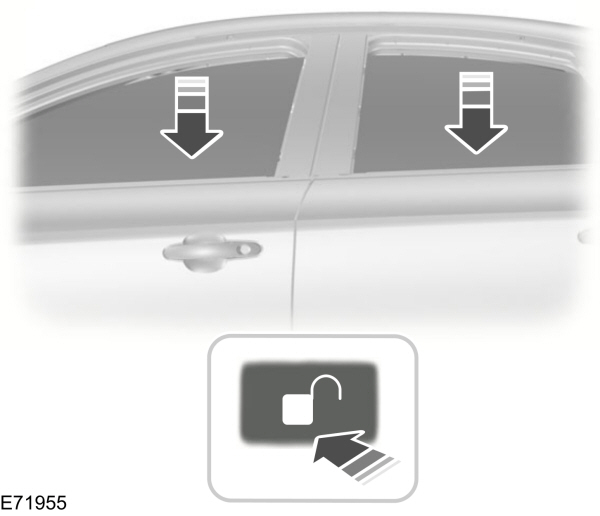
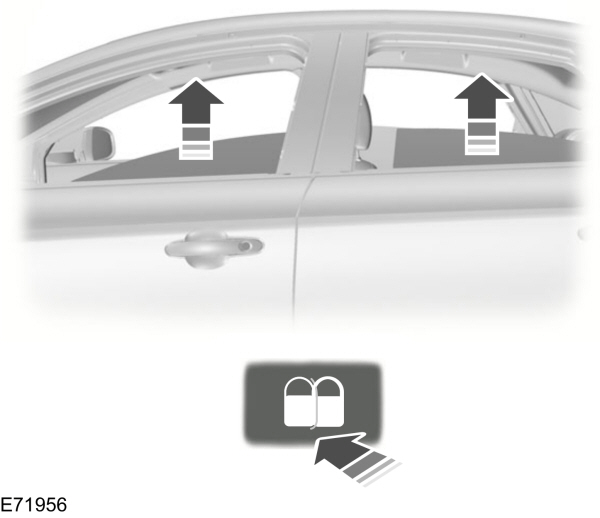
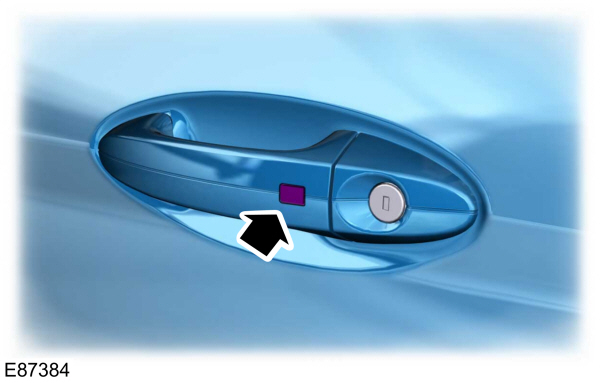
You can also operate the power windows with the ignition off using the global opening and global closing function.
Global Opening (If Equipped)
To open all the windows:
- Press and release the remote control unlock button.
- Press and hold the remote control unlock button for a few seconds.
Press the lock or unlock button to stop the opening function.
Note:
When you unlock your vehicle using the remote control, you can use global opening for a short period of time.
Global Closing (If Equipped)
Vehicles Without Keyless Entry
 WARNING:
When closing the power windows, verify they are free of obstruction and make sure that children and pets are not in the proximity of the window openings. |
Press and hold the remote control lock button to close the windows. Release the button when movement starts. Press the lock or unlock button to stop the closing function.
Note:
The bounce-back function is also on during global closing.
Vehicles With Keyless Entry
|
WARNING:
When closing the power windows, verify they are free of obstruction and make sure that children and pets are not in the proximity of the window openings. |
Press and hold the driver door handle to close the windows. Release the button when movement starts. Press the lock or unlock button to stop the closing function.
Note:
The bounce-back function is also on during global closing.
Note:
You can switch on global closing using the passive key.