
This view of the Owner's Manual contains the very latest information, which may vary slightly from the printed Owner's Manual originally provided with your vehicle. It may also describe content that is not on or operates differently on your vehicle. Please consider the Owner's Manual originally provided with your vehicle as the primary source of information for your vehicle.

The information contained in this publication was correct at the time of release.In the interest of continuous development, we reserve the right to change specifications, design or equipment at any time without notice or obligation.No part of this publication may be reproduced, transmitted, stored in a retrieval system or translated into any language in any form by any means without our written permission.Errors and omissions excepted.
Copyright © 2026 Ford Motor Company
Information Messages
 The message indicator illuminates to supplement some messages. The indicator will be red or amber depending on the severity of the condition and it remains on until the condition is resolved.
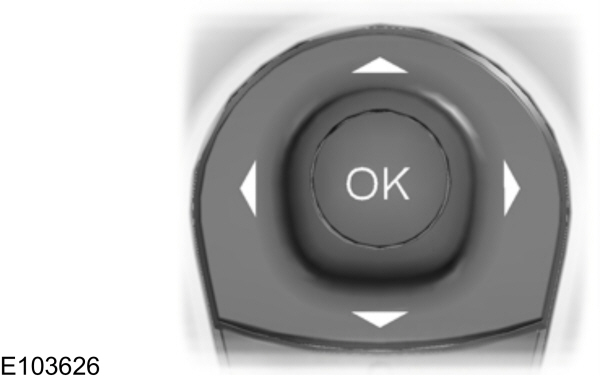
Press the OK button to acknowledge and remove some messages from the information display. The information display will automatically remove other messages after a short period of time.
You need to confirm certain messages before you can access the menus.
The message indicator illuminates to supplement some messages. The indicator will be red or amber depending on the severity of the condition and it remains on until the condition is resolved.A system-specific symbol with a message indicator may supplement some messages.
Note:
Depending on your vehicle options and instrument cluster type, not all of the messages will display or be available.The information display may abbreviate or shorten certain messages.
Airbag
| Message | Message Indicator | Action |
|---|---|---|
Airbag malfunction Service now | Amber | Have your vehicle checked as soon as possible. |
Active City Stop
| Message | Message Indicator | Action |
|---|---|---|
Active City Stop Auto braking | Amber | Displays when the system is operating. See Active City Stop. |
Active City Stop Sensor blocked Clean screen | Amber | Displays when the sensor has reduced visibility. Clean the windshield. See Active City Stop. |
Active City Stop not available | - | Displays when the system is not available. See Active City Stop. |
Alarm
| Message | Message Indicator | Action |
|---|---|---|
Alarm triggered Check vehicle | Amber | Displays when the alarm has been triggered due to unauthorized entry. See Anti-Theft Alarm. |
Interior Scan deactivated | Amber | See Anti-Theft Alarm. |
Alarm system malfunction Service required | - | Have your vehicle checked as soon as possible. |
Anti-Lock Brakes
| Message | Message Indicator | Action |
|---|---|---|
ABS malfunction Service now | Amber | Have your vehicle checked as soon as possible. |
Auto-Start-Stop
| Message | Message Indicator | Action |
|---|---|---|
Auto StartStop Switch ignition off | Red | Switch the ignition off before leaving your vehicle if the system has shut down the engine. See Auto-Start-Stop. |
Auto StartStop Press a pedal to start engine | - | The engine requires restarting, press the brake or clutch pedal. See Auto-Start-Stop. |
Auto StartStop Manual start required | - | The system is not functioning and the engine requires restarting manually. |
Auto StartStop Select neutral | - | The engine requires restarting manually, shift into neutral (N). See Auto-Start-Stop. |
Auto StartStop Engine starting | - | Auto-start-stop preparing to restart the engine. |
Diesel Engine
| Message | Message Indicator | Action |
|---|---|---|
Engine preheating | Amber | Wait until the message turns off before starting. See Starting a Diesel Engine. |
Diesel filter overloaded See manual | - | Displays when the system detects an exhaust filter overload. Have your vehicle checked as soon as possible.Failure to respond to a warning lamp or information message may cause component damage not covered by the vehicle Warranty. |
Doors Open
| Message | Message Indicator | Action |
|---|---|---|
| Vehicle Moving | ||
Driver door open | Red | Stop your vehicle as soon as it is safe to do so, shift into park (P), apply the parking brake and close the door. |
Driver side rear door open | Red | Stop your vehicle as soon as it is safe to do so, shift into park (P), apply the parking brake and close the door. |
Passenger door open | Red | Stop your vehicle as soon as it is safe to do so, shift into park (P), apply the parking brake and close the door. |
Passenger side rear door open | Red | Stop your vehicle as soon as it is safe to do so, shift into park (P), apply the parking brake and close the door. |
Boot open | Red | Stop your vehicle as soon as it is safe to do so, shift into park (P), apply the parking brake and close the luggage compartment lid. |
Bonnet open | Red | Stop your vehicle as soon as it is safe to do so, shift into park (P), apply the parking brake and close the hood. |
| Vehicle not Moving | ||
Driver door open | Amber | Shift into park (P), apply the parking brake and close the door. |
Driver side rear door open | Amber | Shift into park (P), apply the parking brake and close the door. |
Passenger door open | Amber | Shift into park (P), apply the parking brake and close the door. |
Passenger side rear door open | Amber | Shift into park (P), apply the parking brake and close the door. |
Boot open | Amber | Shift into park (P), apply the parking brake and close the luggage compartment lid. |
Bonnet open | Amber | Shift into park (P), apply the parking brake and close the hood. |
Engine Immobiliser
| Message | Message Indicator | Action |
|---|---|---|
Immobiliser malfunction Service now | Red | Have your vehicle checked as soon as possible. |
Hill Start Assist
| Message | Message Indicator | Action |
|---|---|---|
Hill start assist not available | Amber | Displays when hill start assist is not available.Have your vehicle checked as soon as possible. See Hill Start Assist. |
Keyless System
| Message | Message Indicator | Action |
|---|---|---|
Key not detected | Amber | Displays when the system cannot detect a valid key. See Keyless Entry. |
Key outside car | Amber | Displays when the system cannot detect a valid key. See Keyless Entry. |
Key Battery low Replace soon | Amber | See Remote Control. |
Switch ignition off Press ENGINE Start/Stop button | Amber | See Keyless Starting. |
Close trunk or use spare key | - | See Keyless Entry. |
Steering lock engaged Turn steering wheel | - | See Steering Wheel Lock - Vehicles With: Keyless Entry and Push Button Start. |
Lighting
| Message | Message Indicator | Action |
|---|---|---|
Left Indicator malfunction Change bulb | - | Displays if a direction indicator bulb fails. See Changing a Bulb - 5-Door. |
Right Indicator malfunction Change bulb | - | Displays if a direction indicator bulb fails. See Changing a Bulb - 5-Door. |
Maintenance
| Message | Message Indicator | Action |
|---|---|---|
Brake fluid Level low Service now | Red | Indicates the brake fluid level is low and the brake system should be inspected immediately. See Brake Fluid Check . Have your vehicle checked immediately. |
Brake system malfunction Stop safely | Red | Have your vehicle checked immediately. |
Engine oil pressure low Stop safely | Red | See Engine Oil Check. |
Engine fault Service now | Amber | Have your vehicle checked as soon as possible. |
Auto wiper/lights malfunction Service required | Amber | Have your vehicle checked as soon as possible. |
Engine oil change due Service required | - | Displays when the engine oil life is depleted and requires a change. See Engine Oil Check. |
MyKey
| Message | Message Indicator | Action |
|---|---|---|
MyKey Vehicle at Top Speed | Amber | Displays when a MyKey is in use and the MyKey speed limit is reached. See MyKey™. |
MyKey active Drive Safely | - | Displays when MyKey is active. See MyKey™. |
MyKey Speed Limited to 130km/h | - | Displays when starting your vehicle and MyKey is in use and the MyKey speed limit is on. See MyKey™. |
Speed Limited to {MyKey limit ##0} km/h | - | Displays when starting your vehicle and MyKey is in use and the MyKey speed limit is on. See MyKey™. |
MyKey Vehicle near top speed | - | Displays when a MyKey is in use and your vehicle speed approaches a preset speed limit. See MyKey™. |
MyKey Buckle up to unmute audio | - | Displays when a MyKey is in use and Belt- Minder is activated. See MyKey™. |
MyKey Park aid cannot be deactivated | - | Displays when a MyKey is in use with the park aid activated and the user tries to switch off the parking aid system. See MyKey™. |
MyKey ESC cannot be deactivated | - | Displays when traction control is set to always be on in the MyKey settings and the user tries to turn it off. See MyKey™. |
MyKey Volume limit | - | Displays when MyKey is active and the user tries to exceed 45% of the maximum volume. See MyKey™. |
Parking Brake
| Message | Message Indicator | Action |
|---|---|---|
Park brake applied | Red | Displays when the parking brake is set, the engine is running and your vehicle speed is above 3 mph (5 km/h). If the warning stays on after the parking brake is released, have your vehicle checked as soon as possible. |
Park brake applied | Amber |
Stability Control
| Message | Message Indicator | Action |
|---|---|---|
Sport mode | Amber | Displays when you switch the system on. See Using Stability Control - 1.6L EcoBoost™. |
ESP off | - | Displays when you switch the system off. See Using Stability Control - 1.6L EcoBoost™. |
Electronic stability control off | Amber | Displays when you switch the system off. See Using Stability Control - 1.6L EcoBoost™. |
ESP malfunction Next service | - | Have your vehicle checked as soon as possible. |
Starting System
| Message | Message Indicator | Action |
|---|---|---|
Engine Start Pending Please Wait | Amber | See Starting and Stopping the Engine. |
Engine start cancelled | - | See Starting and Stopping the Engine. |
Press brake to start | - | Displays when you start your vehicle as a reminder to fully press the brake pedal. See Starting and Stopping the Engine. |
Press clutch to start | - | Displays when you start your vehicle as a reminder to fully press the clutch pedal. See Starting and Stopping the Engine. |
Press brake and clutch to start | - | Displays when you start your vehicle as a reminder to fully press the brake and clutch pedals. See Starting and Stopping the Engine. |
Cranking time exceeded | - | Displays if your vehicle fails to start. See Starting and Stopping the Engine. |
Steering
| Message | Message Indicator | Action |
|---|---|---|
Power steering malfunction Service now | Red | The system has detected a fault that requires service.Have your vehicle checked immediately. |
Steering lock malfunction Stop safely | Red | The system has detected a fault that requires service.Have your vehicle checked immediately. |
Steering lock malfunction Service now | Amber | The system has detected a fault that requires service.Have your vehicle checked immediately. |
Tire Pressure Monitoring System
| Message | Message Indicator | Action |
|---|---|---|
Check tyre pressures | Amber | Displays if the tire pressure in one or more tires is below the correct pressure. See Tire Pressure Monitoring System - Vehicles Built From: 07-04-2014. |
Tyre pressure sys malfunction Service required | Amber | The system has detected a fault that requires service.Have your vehicle checked as soon as possible. See Tire Pressure Monitoring System - Vehicles Built From: 07-04-2014. |
Tyre monitor malfunction Service required | Amber | The system has detected a fault that requires service.Have your vehicle checked as soon as possible. See Tire Pressure Monitoring System - Vehicles Built From: 07-04-2014. |
Tyre sensors not detected Check manual | Amber | Displays if the system detects a fault with a tire pressure sensor or the spare tire is in use. See Tire Pressure Monitoring System - Vehicles Built From: 07-04-2014. If the warning remains on after you have checked the tire pressures, the system has detected a fault that requires service Have your vehicle checked as soon as possible. |
Traction Control
| Message | Message Indicator | Action |
|---|---|---|
Traction control off | Amber | Displays when you switch the system off. See Using Stability Control - 1.6L EcoBoost™. |
Transmission
| Message | Message Indicator | Action |
|---|---|---|
Transmission malfunction Service now | Red | Have your vehicle checked as soon as possible. |
Transmission Over Temperature Stop Safely | Red | The transmission is overheating and needs to cool.Stop your vehicle as soon as it is safe to do so, switch the engine off and allow the transmission to cool. |
Transmission not in Park Select P | - | Displays as a reminder to shift into park (P). |
Transmission too hot Press brake | - | The transmission is overheating and needs to cool.Stop your vehicle as soon as it is safe to do so, switch the engine off and allow the transmission to cool. |
Transmission ready | - | Displays when your vehicle is ready to drive. |
Press brake to unlock selector lever | - | Press the brake pedal to unlock the transmission. See Automatic Transmission. |
Selector lever unlocked | - | See Automatic Transmission. |